This post is about a fun little command-line utility I made with ChatGPT’s help to randomly generate exercises from Brian Eno’s “Oblique Strategies” in an aesthetically pleasing presentation. Here’s what it looks like:
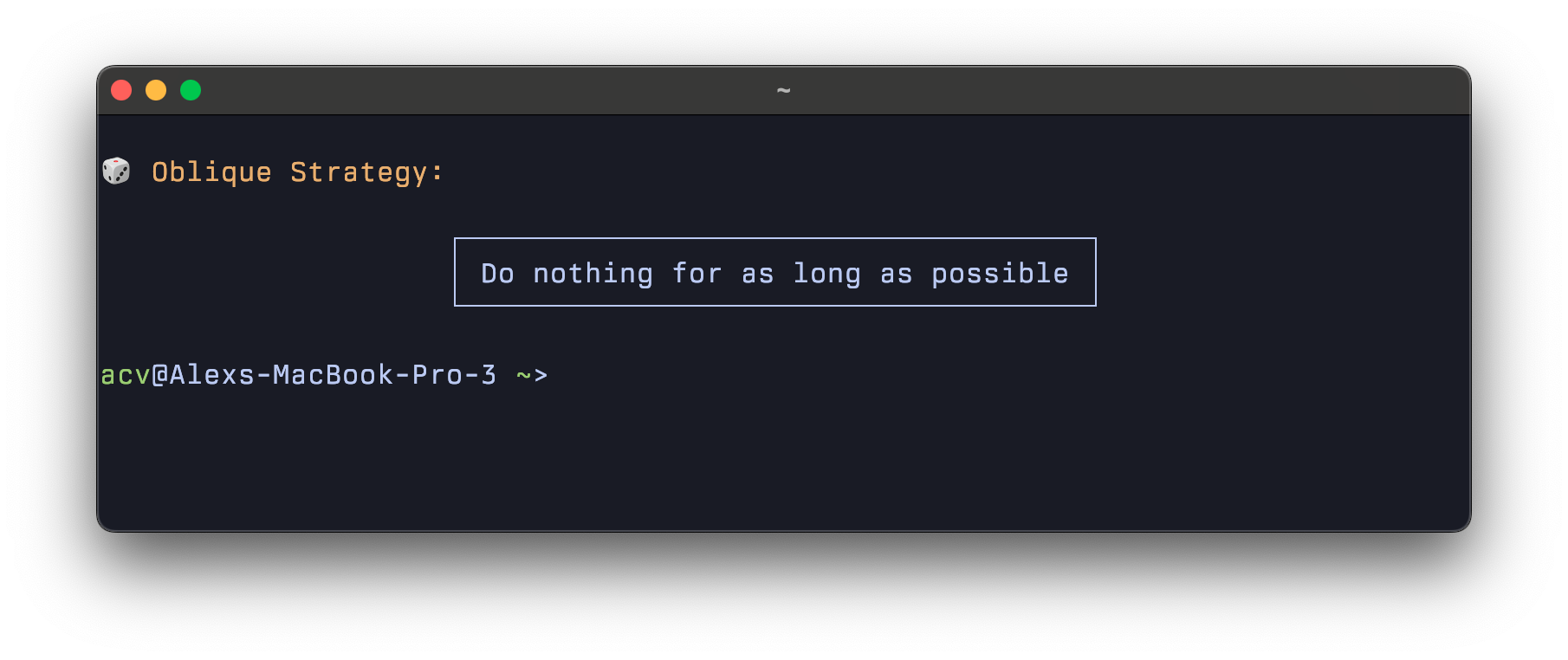
I love seeing one of these every time I open a terminal — it’s like a creative spark before doing any work. It recenters me and challenges me to reconsider my assumptions and process.
Here’s how I built it. The script is written in Fish shell and works best in terminals with solid Unicode and font rendering support, like Kitty or Alacritty. It reads in the exercises from a source file adapted from this GitHub repo. Here is the source code:
# ~/.config/fish/functions/print_random_oblique_strategy.fish

function print_random_oblique_strategy
    set strategy_file ~/Developer/oblique-strategies.txt

    if test -f $strategy_file
        set strategies (cat $strategy_file)
        set count (count $strategies)
        set index (random 1 $count)
        set strategy $strategies[$index]

        # Terminal width
        set term_width (tput cols)

        # Padding inside the box
        set padding 4
        set strategy_length (string length -- $strategy)
        set content_width (math "$strategy_length + $padding")
        set left_margin (math "floor(($term_width - $content_width) / 2)")

        # Box drawing characters
        set hline "─"
        set vline "│"
        set tl "┌"
        set tr "┐"
        set bl "└"
        set br "┘"

        # Construct the box
        set top (string repeat -n $left_margin " ")$tl(string repeat -n (math "$content_width - 2") $hline)$tr
        set middle (string repeat -n $left_margin " ")$vline (set_color --bold)"$strategy"(set_color normal) $vline
        set bottom (string repeat -n $left_margin " ")$bl(string repeat -n (math "$content_width - 2") $hline)$br

        echo
        echo (set_color yellow)"🎲 Oblique Strategy:"(set_color normal)
        echo
        echo $top
        echo $middle
        echo $bottom
        echo
    end
end
The script defines a function called print_random_oblique_strategy, which can be run anywhere in your Fish shell. To set this up, save the function in ~/.config/fish/functions/print_random_oblique_strategy.fish, and make sure your strategy list is in ~/Developer/oblique-strategies.txt. To have it run whenever a new shell is started, I added it as a command in ~/.config/fish/config.fish.
To get a clean splash page, I needed to do two more things. First, I removed the default “Welcome to Fish…” message by adding set fish_greeting (which sets it to nothing) in the config.fish file. Finally, macOS displays a “last login” message, which you can silence by running touch ~/.hushlogin.
If you enjoy this you might also be interested in my post on practicing jazz from the command line. While you’re at it, check out this transcendent 6-hour “time-stretched” version of Eno’s “Music for Airports”.